Why is my PNG so large?
A 2400×1600 photo saved as PNG was 3,412,334 bytes. Same pixels as JPEG quality 80: 458,627. PNG is lossless. Photos pay for that.
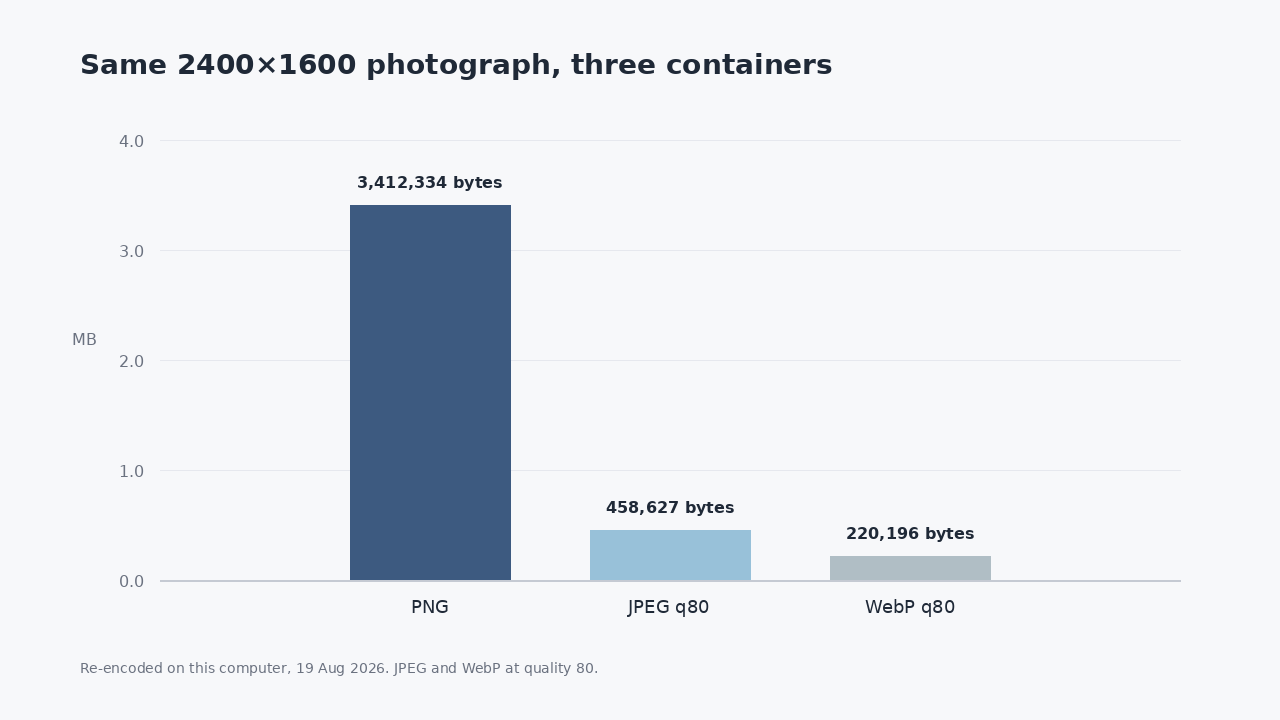
I took a 2400×1600 photograph that was already a JPEG (536,880 bytes) and saved it as PNG. It became 3,412,334 bytes. Same pixels. PNG just refused to throw any of them away.
That is the usual "my PNG is huge" email. Not a corrupt file. Not a hidden virus. A camera picture stored in a format that keeps every pixel exactly, including the ones JPEG had already decided you would not miss.
I re-encoded five real files on this computer today: three Unsplash photographs and two screenshots (Wikipedia, Pathine). Each one went to PNG, JPEG quality 80, JPEG quality 90, and WebP quality 80. The chart at the top is the first photograph. The table below is all five.
| File | Pixels | PNG | JPEG q80 | PNG ÷ JPEG |
|---|---|---|---|---|
| Landscape photo | 2400×1600 | 3,412,334 | 458,627 | 7.44× |
| Indoor photo | 2400×1645 | 5,190,600 | 782,347 | 6.63× |
| Food photo | 2400×2400 | 8,221,351 | 1,353,030 | 6.08× |
| Wikipedia screenshot | 1440×900 | 378,191 | 207,640 | 1.82× |
| Pathine screenshot | 1440×900 | 274,127 | 73,590 | 3.73× |
Photos paid 6–7× for lossless. Screenshots paid less, because large flats of one color compress in PNG. If your PNG is several megabytes, it is probably a photograph, not a UI capture.
PNG is a grid. JPEG is a bargain.
PNG stores a filtered grid of pixels and runs DEFLATE on it. That is lossless. A noisy photograph has almost no long runs of the same color, so the compressor has nothing to sit on. JPEG throws away high-frequency detail, especially in color. On a landscape, you cannot see the discard. On a screenshot of 11-point type, you sometimes can.
If the file started as a JPEG, saving it as PNG does not restore the missing detail. It just wraps the already-lossy picture in a larger box. That is how 536,880 bytes became 3,412,334 without the photo getting sharper.
When PNG is the right container
Keep PNG when you need a hole (transparency), when you will edit the file again, or when the picture is mostly type and flat UI and you care about crisp edges. The Wikipedia screenshot in this set is only 1.82× its JPEG. That is a fee, not a disaster.
Email a photograph as PNG and you are paying the 7×. A form that caps uploads at 1MB will take the JPEG of that landscape (458,627 bytes) and reject the PNG (3.4MB) of the same picture.
Convert the photo. Leave the screenshot alone if it is already small.
The Pathine PNG to JPG tool does the conversion in the browser. The file is not uploaded. For a camera PNG, JPEG quality 80 is the same bargain as the chart. For a screenshot you still need to read, look at it after. If the type goes mushy, keep the PNG or try a higher JPEG quality. In this set, quality 90 on the Pathine screenshot was 103,769 bytes, still well under the PNG.
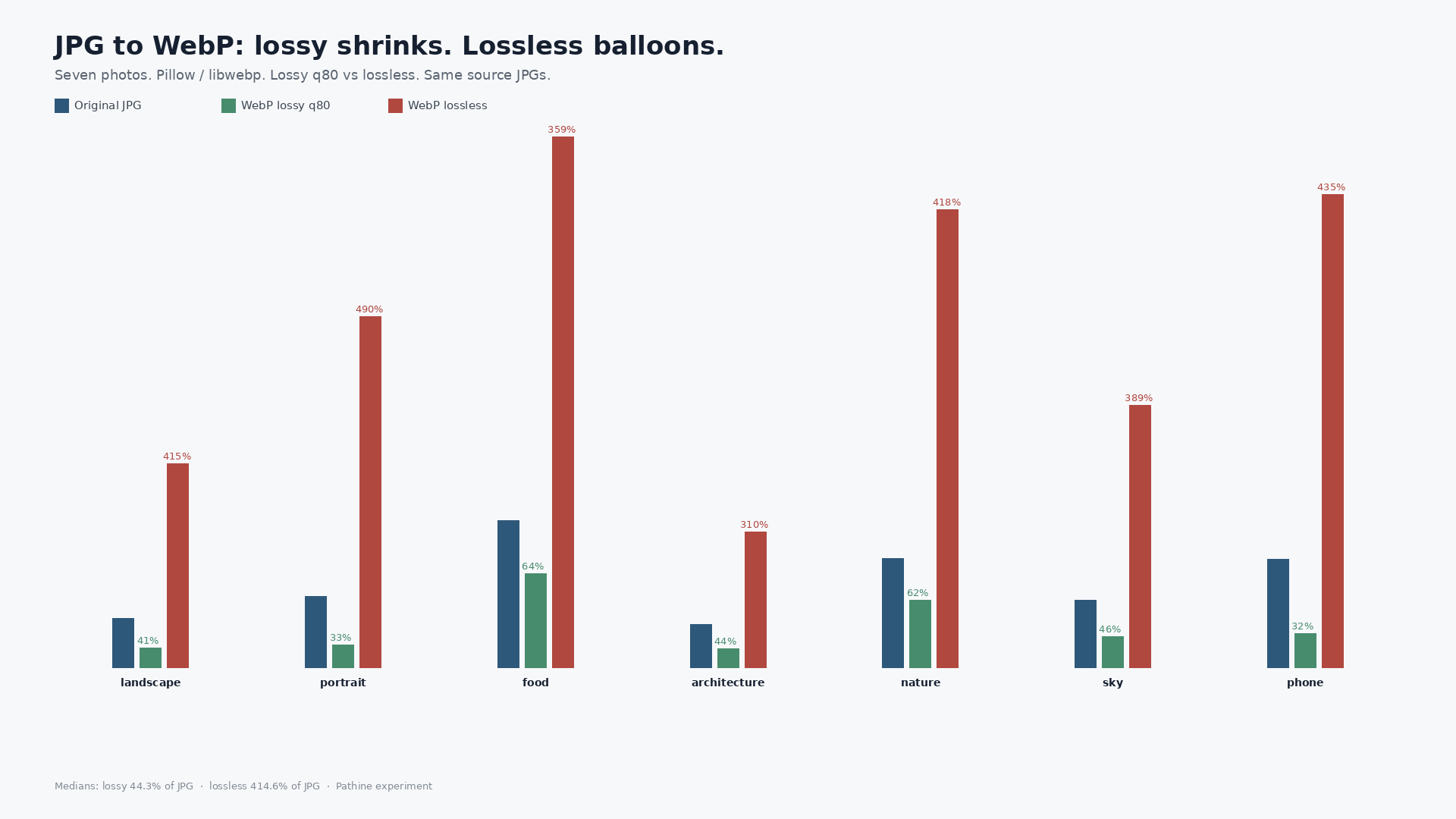
WebP was smallest on every file here. Not every inbox or government form accepts it. JPEG still wins the boring compatibility fight.
A few straight answers
Will converting to JPEG ruin my photo?
If it was a camera JPEG first, the damage is already in there. PNG of that JPEG is a larger copy of the same picture. If it is a raw screenshot of text, look before you send.
Why is a screenshot PNG sometimes smaller than a photo JPEG?
Different pictures. A 1440×900 UI with big white regions is easy for PNG. A 2400×1600 landscape is not. Compare the same pixels, as in the table, not two unrelated files.
Does this use Pathine's compressor, or a fresh encode?
Fresh encode with Pillow on this machine, 19 Aug 2026. Quality 80/90 for JPEG and WebP. PNG with optimize=True. No EXIF copied into the re-encodes.