Why won't Windows open my iPhone photo?
iPhone photos are HEIC since iOS 11. Windows Photos needs two Store extensions, or convert to JPG in the browser. The photo never uploads.
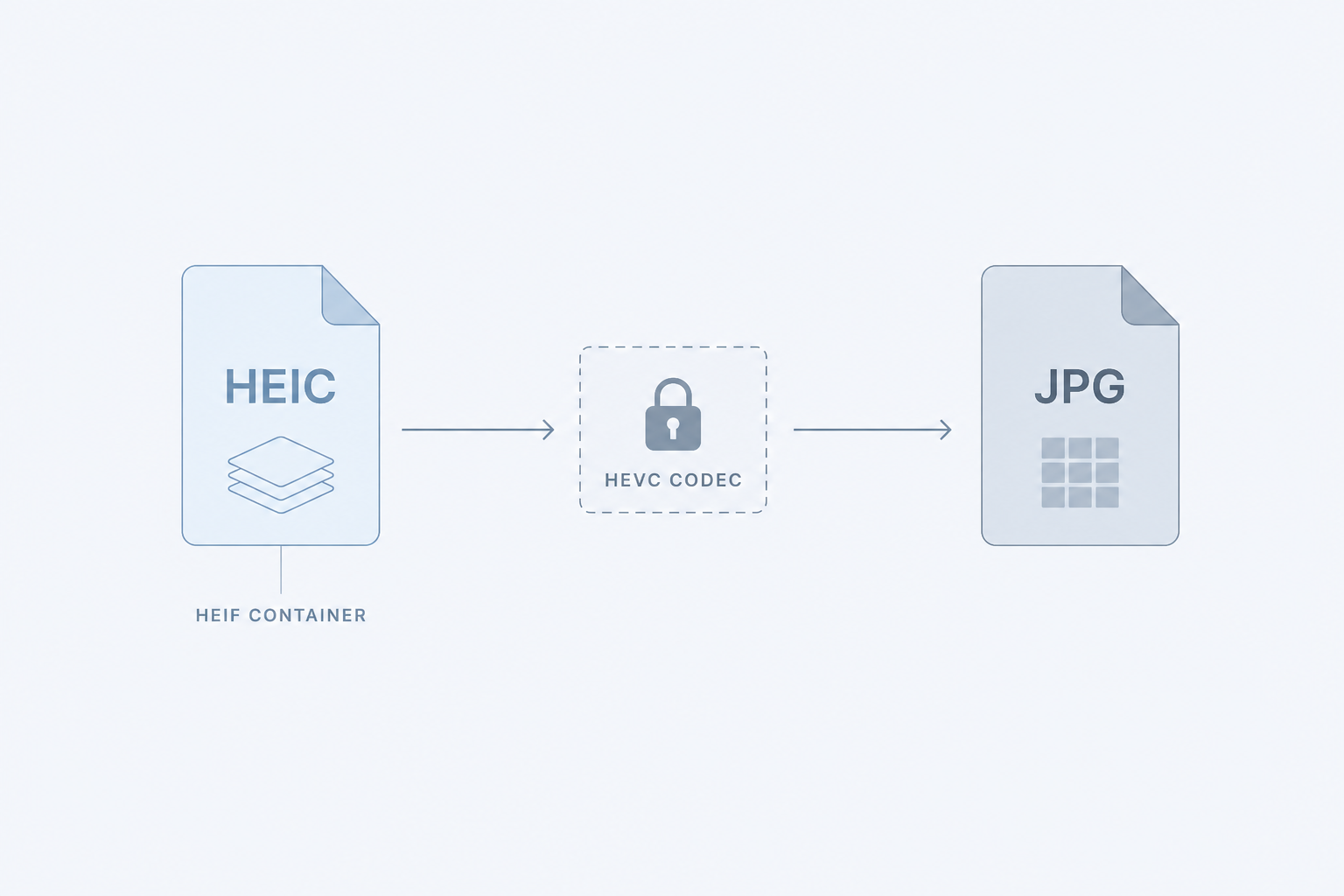
The file is not corrupt. Windows is not broken. Your iPhone saved a HEIC: a HEIF container with HEVC (H.265) inside. Photos can see the box. It cannot decode the picture until a second codec shows up, and Microsoft does not ship that codec for free.
Since iOS 11, High Efficiency has been the default. Settings, Camera, Formats. The file on disk is .HEIC because the picture is HEVC, not JPEG. Apple's WWDC 2017 session on HEIF said HEVC averages 2× compression versus JPEG at the same visual quality. That is why the phone does it. It is also why a Windows PC that has never paid for HEVC stares at a blank thumbnail.
Two extensions, not one
Microsoft's own support page is unusually blunt: you need both, even if you only plan to look at photos and never at video.
- HEIF Image Extensions. Free on the Microsoft Store. This is the container. It tells Windows that a
.heicfile is a picture, not a mystery blob. - HEVC Video Extensions. Historically $0.99. This is the decoder. The pixels are H.265. Without it, the container opens onto nothing.
People install the free one, double-click, and get the same error. The paid one is the one that does the work. HEVC is patent-encumbered. Microsoft does not bundle it. That is the whole reason for the dollar.
Some OEM PCs already have a manufacturer HEVC package, so a Dell or HP that shipped with Windows sometimes just works. A custom-built machine, an upgraded one, a clean install: often not. Windows 11 may already include the HEIF extension. That still is not the decoder.
Apple already converts, when Apple is doing the sending
Apple knows. iCloud Photos keeps the original HEIC in the cloud. The copy that leaves Apple's world is the one that gets flattened. Messages, email, or AirDrop to a device that cannot handle HEIF may arrive as JPEG. Plug the iPhone into a PC and the importer may convert it, unless Photos is set to Keep Originals. Download from iCloud.com and pick Most Compatible. The phone is not trying to trap you. The trap is copying the file off as a file.
Drag IMG_4032.HEIC off USB, out of a zip, out of WhatsApp as a document: Windows gets the original. That is the one that will not open in Photos.
Convert it in the browser, including on Windows
You do not have to pay the Store, and you do not have to send the photo to a website. The Pathine HEIC to JPG tool converts in the tab. The photo is never uploaded.
Safari on an iPhone, iPad, or Mac uses the OS decoder. Chrome, Firefox, and Edge do not have one, so the tool loads a decoder into the tab the first time you drop a HEIC. After that, conversion is local. Same rule as before: quality 90% is the default because both formats are lossy and you are re-encoding. The JPG will usually be larger than the HEIC. That is the trade.
If the file is already some other format, the Image Converter is next door.
Stop making new ones
Existing shots stay HEIC. New ones do not have to. Settings → Camera → Formats → Most Compatible. New photos are JPEG. Apple's own words: more broadly compatible with other devices and operating systems. You give up the smaller files. You stop sending a format Windows Photos cannot read without a trip to the Store.
If you want Windows Photos to open the original
Install both extensions. Restart Photos. That is the Microsoft-supported path, and it is a dollar. After that, File Explorer thumbnails usually appear too. A random "HEIC to JPG" website will often upload the photo to do the work. Pathine does not upload anything.
A few straight answers
Why does the same file open on a Mac?
macOS has the HEVC decoder. Windows Photos does not, unless you installed it.
I already installed HEIF Image Extensions. Why is it still blank?
That is the container. You still need HEVC Video Extensions. Two, not one.
Will this Pathine page convert my HEIC in Chrome on Windows?
Yes. Drop the file on the converter. The first HEIC loads a decoder into the tab. The photo still does not leave your computer.
Is HEIC really half the size of JPEG?
We did not measure a camera-roll pair on this machine. Apple's WWDC 2017 session on HEIF said HEVC averages 2× compression versus JPEG at the same visual quality. Treat "about half" as Apple's claim, not a number we weighed.