Does removing EXIF shrink a photo?
A real iPhone photo had 9,975 bytes of EXIF including GPS. A lossless strip saved exactly that. A canvas re-save at quality 95 grew 24%.
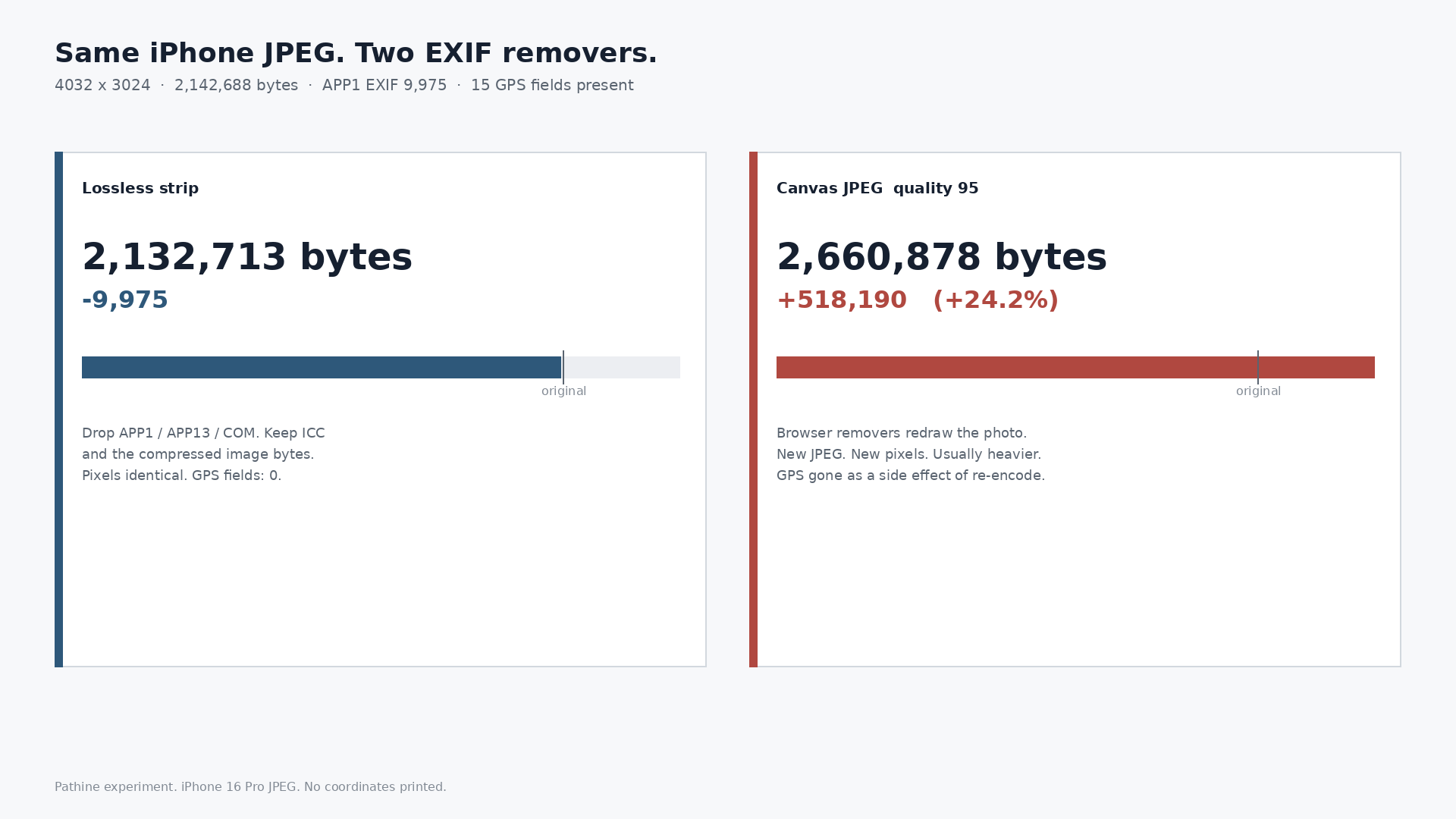
Barely. A real iPhone 16 Pro JPEG was 2,142,688 bytes and carried 9,975 bytes of EXIF, including GPS. A lossless strip saved exactly 9,975 bytes and the GPS fields went to zero. A canvas re-save at quality 95 came back 2,660,878 bytes: 24% larger. Removing EXIF is a privacy job. The method is the story.
People treat “strip metadata” as a compression trick, or they paste the photo into a website that redraws it through a canvas. Those are different operations. One drops the EXIF block. The other re-encodes the picture.
What we measured
One star file: 4032×3024, iPhone 16 Pro, Software 18.6.1, Orientation 6. APP1 EXIF was 9,975 bytes. Fifteen GPS fields were present. We are not printing the coordinates. Present is enough.
| Method | Bytes | Vs original | GPS fields |
|---|---|---|---|
| Original | 2,142,688 | - | 15 |
| Lossless strip (drop APP1/APP13/COM, keep ICC + image bytes) | 2,132,713 | -9,975 | 0 |
| Canvas JPEG quality 95 | 2,660,878 | +518,190 (+24.2%) | 0* |
| Canvas JPEG quality 92 | 2,112,277 | -30,411 (re-encoded) | 0* |
| Canvas JPEG quality 100 | 4,598,525 | +2,455,837 (+114.6%) | 0* |
*Canvas tools usually emit a new JPEG with no GPS. That is a side effect of re-encoding, not proof they stripped cleanly. The pixels changed. The file often got heavier.
EXIF was 0.47% of this photo. The lossless strip saved exactly the APP1 block. That is the whole compression story on a camera original like this.
Already-clean photos through a canvas “remover”
Four photos with no EXIF left to remove, the same set used in earlier Pathine size posts. A lossless strip saved 0 bytes. Canvas quality 92 grew every one.
| File | Original | Lossless strip | Canvas q92 | Canvas delta |
|---|---|---|---|---|
| Nature | 1,193,590 | 1,193,590 (0) | 1,388,263 | +16.3% |
| Architecture | 478,281 | 478,281 (0) | 546,636 | +14.3% |
| Food | 1,609,228 | 1,609,228 (0) | 1,851,784 | +15.1% |
| Phone (already stripped) | 1,182,975 | 1,182,975 (0) | 1,363,702 | +15.3% |
Median growth: 15.2%. If the file was already clean, a canvas “EXIF remover” is just a re-encode that usually costs you bytes.
A tiny 800×600 web JPEG with a 224-byte EXIF block made the same point smaller: lossless 71,519 (-224). Canvas quality 92: 110,278 (+53.7%).
Covering is not removing. Canvas is not stripping.
Yesterday’s black-box PDF test was the same idea in another format: a black rectangle sits on top of text; the text instruction stays. Here a canvas redraw sits on top of the idea of “remove EXIF.” The metadata is gone because the whole file was rebuilt, not because the tool walked the markers and dropped APP1.
Pathine’s EXIF Remover copies the compressed image bytes and omits the metadata segments. ICC stays. Pixels stay identical. That is the lossless column above. If you need the GPS off a phone photo, that is the job. If you need a smaller file, strip EXIF only after you have already chosen the right pixel grid and quality. Metadata was never most of the weight.
A few straight answers
Does removing EXIF shrink a photo?
A little, when there is EXIF to remove. On this iPhone file: 9,975 bytes. On already-clean photos: zero.
Does it remove GPS from a photo?
Yes, if the tool actually drops the EXIF block. GPS lived in those 15 fields. After the lossless strip: zero.
Why did a website “EXIF remover” make my file bigger?
It probably re-encoded through a canvas. Four clean photos grew 14-16% at quality 92. The iPhone file at quality 95 grew 24%.
Will Pathine match these exact bytes?
The shape should match: lossless means same pixels, no EXIF, ICC kept. Exact counts depend on the file you drop in. Run yours in the tab.